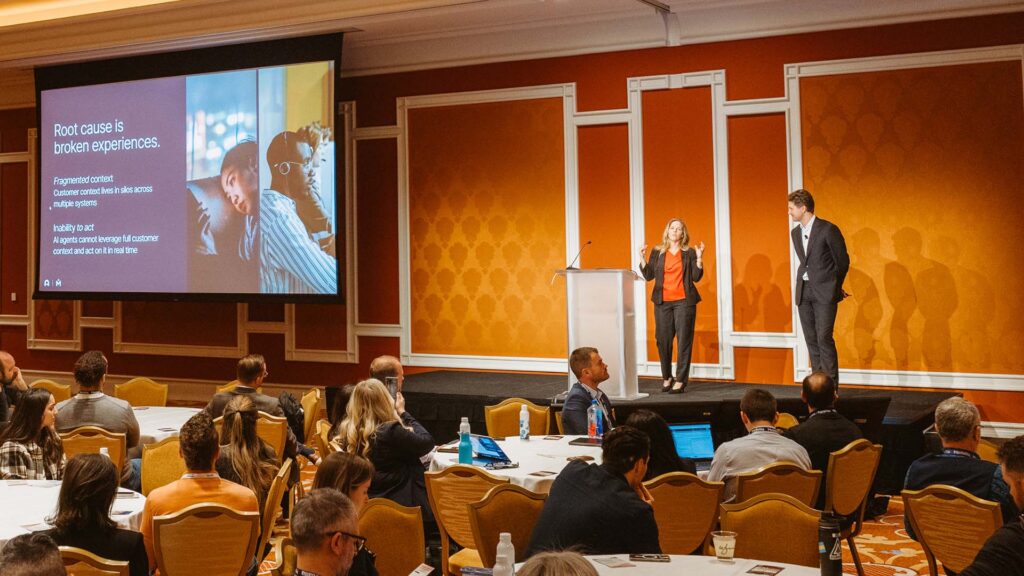
Eleanor Telling: [00:00:00] Good morning and welcome to this masterclass in advancing text analytics with Gen AI powered insights. My name is Eleanor Telling and I run our international advisory team based out of London, and I am very happy to be here with you this morning to go through this exciting topic. So I think we all know that text analytics is an absolutely foundational area that can create amazing value in our programs.
I think we also know that it’s one of those areas that we need to think about and invest in the setup if we want to actually achieve that value. So what we’re hoping to do today is really inspire you to optimize your topics to really get the value out of the system, as well as spend some more time talking about the smart topic builder that you heard Fabrice introduce yesterday morning at the keynote.
So as you’ll see, there is three of us on the [00:01:00] stage today, and we’re each going to tackle slightly different areas. I’m gonna start with just a little bit of a short introduction about why text analytics is so important and just some steps and stages we can think about in terms of topic optimization.
I’m then gonna pass over to Andy Shires. From NTT data, who’s gonna bring it to life in a case study? And then Hensley is gonna take us through more about that smart topic builder as well as how we can bring that to life in our systems so that when this is available later on in the year, you guys all know how it can be used within your programs.
So let’s start with why it’s so important. Why is text analytics so important? For me, it’s about the value it delivers to our programs. It allows us to really understand what our customers are talking about in their own voice, which we know is immensely powerful, but it goes beyond that. It allows us to not only understand the what, but the [00:02:00] why and the how, and even getting to potentially how we could actually fix those issues.
What’s great about text analytics is it doesn’t also just require surveys. It’s actually all built around. Understanding insight from that unstructured data that you heard Sid talk about yesterday is gonna be so critical as we evolve the way we think about experience management, allowing us to go deeper and wider to really answer our business questions.
To achieve that value, we need to make sure that we’re optimizing this area. We need to make sure we’re investing and we all know that this is something that we can, yes, we can just turn on and apply based topic sets, and that’s fantastic and maybe that works for some of us. However, if we really want to, again, go to that value, we wanna make sure that those topic sets are aligned to the outcomes that are important specifically to our businesses.
We also know our programs are [00:03:00] continuously evolving. So even if we put something in place maybe a year ago, if our customers ever changed, if their experiences have changed, if what we’re doing has changed, then again we need to make sure that we’re evolving our topic sets to bear that into consideration.
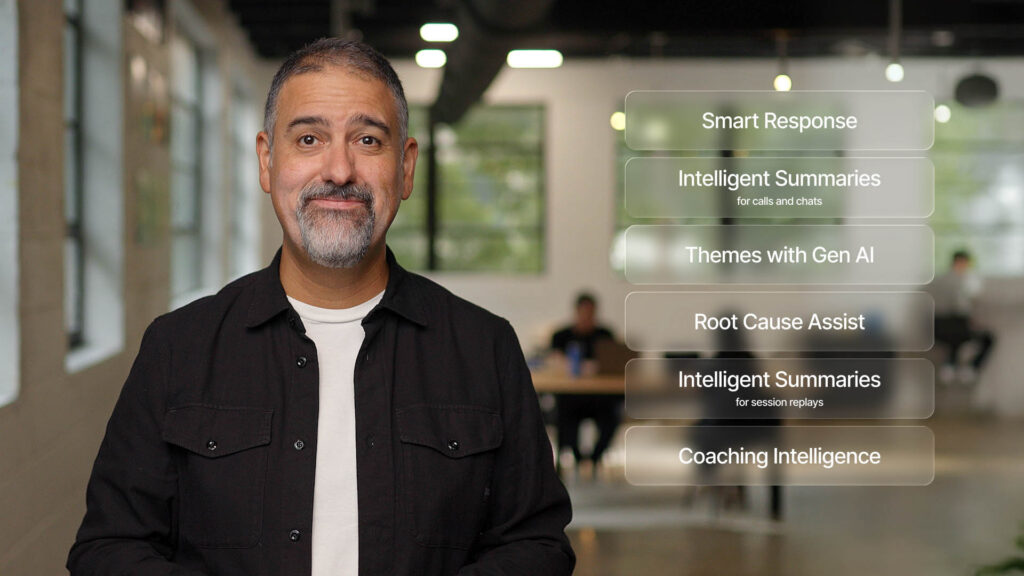
And as you heard yesterday, there’s a lot of exciting new AI coming into the platform, and unstructured data and topic sets are a critical part of that. If you think about areas like Root cause assist, so I’ve talked about topic optimization because at the end of the day, going back to if we want it to work, we need to invest and we need to make this right.
So what are some of the key steps that we need to think about to make this work? Correctly, and Andy is gonna bring this to life for us a minute, and like I said, in terms of a case study, but let’s just start with some key steps and stages. I’m a big believer in design with the end in mind, which is all about if we understand the outcomes, if we understand what we’re trying to achieve [00:04:00] and design towards, we’re much more likely to be effective.
So a great example is a big part of what we’re trying to understand is optimizing our digital experience. If we don’t actually have the topic sets in there to help us understand what customers are talking about with our digital experience, how are we gonna make that effective? So again, what are we trying to achieve?
The other thing that I think is so critical, and something that Andy’s gonna talk about a lot is understanding your data. If you don’t understand the data that you have available, how do you know if it’s gonna help you meet your business objectives? At the end of the day, if you actually find that you don’t have the right data and your customers aren’t telling you the right things to solve your business problems, it isn’t actually a topic set issue.
It’s a programmatic issue, and then that needs to be fixed before you can actually move on to developing and designing. Topic. So then we get to our topic set so we know what we’re trying to do. We know what our data is telling us. We’ve got the right data. Then we want to make sure that the [00:05:00] topic sets that we’ve got in place.
Are doing the right thing, that they’re representing the information that we’re being told, and it’s done in a way that allows us to have the right level of coverage so that we’ve got actionability that we’re not over-engineering to things that maybe don’t provide any insight back within our organization.
We also wanna make sure the information is accurate because at the end of the day, this is decisions that we’re making on the basis of this data. So if we don’t feel confident in this information, then again, that’s not gonna provide the outcomes that we’re looking for. And I think you’ve probably seen this in other sessions, it was definitely talked about a lot in sessions last year.
Generally, we wanna be aiming for that 80% mark because when we have 80, 85% accuracy coverage, again, we have the confidence in making those decisions. Finally, I am gonna just reinforce the refine and evolve even if today everything is working really well, [00:06:00] if things are changing in your program, this is an area that we should be constantly monitoring.
I don’t mean every day, but even if it’s twice a year. Just to make sure, and especially if you’re making gains, maybe you’re adding new unstructured signals. Have a look to see how your text analytics is going to be able to help support that. So enough of me, I’m gonna pass over to Andy, who is now gonna take us through the NTT case study to bring to life all of this great optimization and value, Andy.
Andy Shiers: It’s a real pleasure to be here at Medallia Experience 2026, have the opportunity to address you all. Speak a little bit about text analytics, so just a little introduction to who I am. I’m Andy Shiers. I work for a company called NTT Data Inc. We’re a global B2B technology services provider, serving 75% of the Fortune Global 100.
We partner with organizations [00:07:00] giving every kind of technology you can probably think of networks, data centers, cloud solutions, security services, and we partner with some of the big hyperscalers like Microsoft and Google and Cisco AWS repackaging their solutions as managed services. Also doing the same sort of thing with hardware.
One of the big things for us at the moment is weaving in AI wherever we can, and doing so in a bespoke way for our clients to make sure we can come across and be perceived as being innovative in what is a very competitive marketplace. So for us, CX is critical. We’ve recently come together actually as NTC Data Inc.
And as often is the case with the migration, our key goals at the moment, our objectives are all around growth. So in order to grow, you need to have established long-term relationships. You need to build trust, and in order to do that, you really need to be listening. You need to have a robust CX program.
And you need to have a pretty [00:08:00] robust CX platform as well. And that is why we use Medallia and have been using Medallia for many years. One of the essential components, no surprise, is why you’re all here, is text analytics. We get a lot of comments a lot of qualitative questions across our program, and we need to be able to decipher what these people are saying.
A lot of them are decision makers, A lot of them are key influencers and users. We need to be able to take that. Information, those insights on board and turn them into actionable insights. So as I say, we’ve been partnering with Medallia since 2017. Our program has evolved a lot. We started back then, long time ago now with three or four feedback initiatives.
We now have close to 20. So you can imagine we get a lot of data in now. We include system integrations in our Medallia solutions. So we have a lot of automation, which means that we’re sending out requests for feedback quite a lot, and we’re getting quite a lot back. So there’s no way we could really comprehend [00:09:00] the data and make sense of the data without TA and having a dynamic TA engine, we probably get around 10 to 12,000.
Verbatim comments a year, which for B2B is decent. It’s quite a lot. Not as many as a lot of B2C companies obviously, but it gives us plenty to work with and it means text analytics is indispensable, helps us bring that feedback really to life, which quantitative data just doesn’t do on its own. So when we started with text analytics, as I’m sure same, the same story with all of you guys.
We had the out of the box solution. We had the out of the box B2B tech solution. So it was quite specific to our industry, but it still wasn’t specific enough. When we launched it, we knew we would have to refine it. We knew we’d have to look at making it relevant to us as we all have done, I’m sure. Making sure it’s relatable to those that are in the platform and using it and trying to make sense of this information.
And over time we realized we needed to do that sooner rather than later. Refine the [00:10:00] topic sets and. Essentially improve the user experience so that we were getting a lot of interaction and engagement with text analytics. I think when we first launched it, it was a bit daunting for a lot of people. They went in, they came out pretty soon after that, and we wanted to make sure that it was, if necessary, simplified and giving people the information that they needed to be able to go and action the the feedback data.
So we essentially started, again, really not a quick and easy task, certainly not back then. Hence he’s gonna talk about smart topic builder soon, which it makes it a lot quicker and easier. But back then it was heavy lifting. But you know what they say, nothing worthwhile is easy, especially for a CX professional.
So we are really looking forward to having a smart topic builder and being able to do this on a more regular basis. The effort that went into it means that we couldn’t do it every. Three months, six months, maybe once a year we could look at it. That’s all [00:11:00] changing now, which is, a huge win for us all.
I think. So at the time there were four of us working on it, going into the weeds, looking at, I think there was 10,000 comments. We looked at all the comments from the past 12 months and we defined a new set of topics, keywords, and always with the user experience in mind. So the way we did it was we aligned the topic ones to a stage of the customer journey.
So it meant something to the people that were going in and looking at these topic sets. And what we also did was we moved beyond two topic levels to three, because the two wasn’t really giving us actionable enough information, we had to go down another level. So we started with the journey step, then we went into the engagements, and then topic level three was really the outcomes of those engagements.
And looking at where we were going wrong and where we were doing well, of course. So that helped us really drill down into actionable insights. So we did the exercise. We [00:12:00] had about 300 topics, which was way too many. We knew it would be, but that was the kind of boil, the ocean approach. And then we knew we would need to refine it and reduce it down, which we did.
There was some duplication after running it through testing. Some things just weren’t latching onto comments, so we just got rid of those. We ended up with about 220, which just to give you some idea of the denominations, it was 15 level ones, so 15 journey steps, and then I think it was 35 level twos and about 170 level threes.
So that helped us really understand the full breadth of the journey at that particular time and testing. To Ellie’s point earlier, we could see that we were getting 80 to 90% coverage. It took a little while to get there, but eventually we made it. Here’s just a quick example of how the different topic sets break down.
I’ve chosen one particular stage of the customer journey, which we’re all familiar with, which is buy from, that we had six level twos and then 14 level threes. But there’s no hard and fast rule with some of these level [00:13:00] one topics. We would only get one level two and two or three level three. So it, it all depends on, the nature of the comments and how you read into those and what’s relevant.
As I’ve said, the manual labor that was involved in that was quite intense. It was worth it, but again, it’s not something you would do on a regular basis, which is why we need a tool like Smart Topic Builder. And I’ve given you great pleasure to introduce Hensley, who will tell you a bit about that.
Gensly Mejia: Thank you, Andy. Thank you all for being here today. I’m Hensley and I’m with the text analytics team at Medallia. I’m very excited to be here to walk you through some of the great new TA capabilities that we have been building. So as we heard before, optimizing the topic set was very critical for Andy, and that drove real results.
But I want to just pause for a moment on the key takeaway, because success was not just about adding more keywords to your topics. It was about the ability to adapt your existing topic models to a business need. And [00:14:00] that’s what’s powerful about ta. Now, I definitely would know that. Going through that process is time consuming, right?
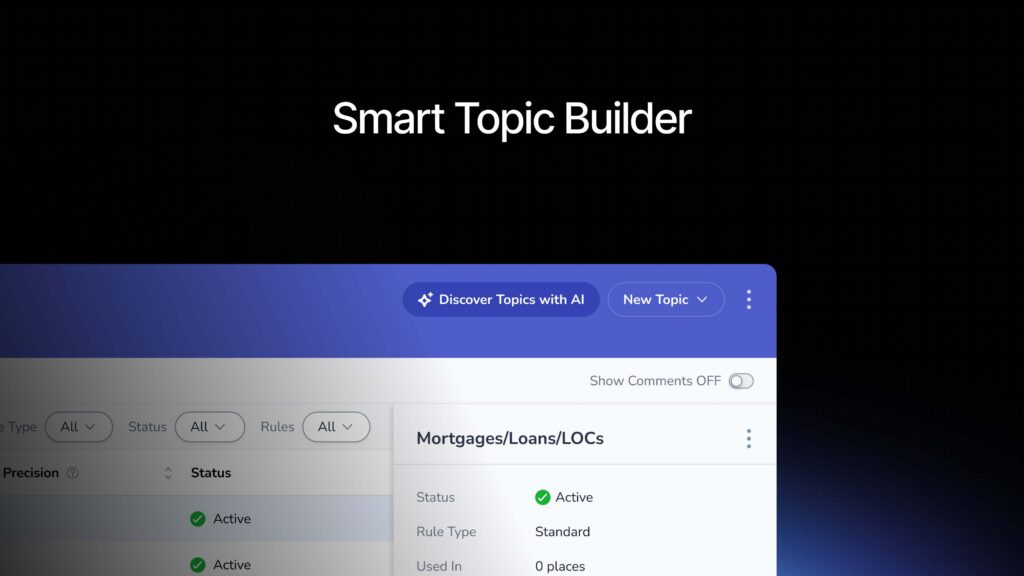
As you heard from Andy before. But it is extremely powerful. So the question now becomes, how do we take this process that worked for Andy and his team and make it possible in a more efficient and user friendly way? I want to introduce you to our new Smart topic builder. So Smart topic builder. It’s an AI powered tool that is really an assistant that is going to help admins optimize your topic sets.
It’s going to help you discover new topics. It’s going to help you build new topic rules, and it’s even going to help you measure the accuracy of those topics. And let’s actually diving. So let’s just imagine for a moment that I am a text analytics admin for a global bank. My company has been using Medallia for a while with a contact center feedback program.
So we do have a mature topic set, but now we’ve recently introduced a new [00:15:00] digital program. So we have a significant amount of new comments flowing in regarding the experience with the app, with the website, and we are realizing that we don’t have specific topics to capture those comments. So now my task is clear.
I need to go in and discover topics and build those out. Let’s see how that works now. So very soon, as you can see, I’m in the topic builder section of Medallia, and you will see a new section for Discover Topics with ai. Let’s click on that. So once we start discovering the topics with ai, we have a chance to tell the system what is the data that I want to analyze.
I will tell which topic set am I optimizing right now. I can also give it just a little bit of instruction on what I’m trying to discover. I can select a specific time period. In my case, it will be the time period where we started collecting this digital data, and I can even specify what are the comment views that I want you [00:16:00] to review.
So once I’m satisfied with my selections, I will click submit. Now behind the scenes topic builder or the smart topic builder, rather, it’s going to analyze all of those untacked comments that have been flowing in, and then it’s going to give you a list of recommendations for those topics that it has discovered.
Now, the great thing of this is that it’s also going to respect the topic hierarchy that you have been building, so it doesn’t disregard all that hard work that you have put into your topic sets. We see the first example here. It’s recommending mobile check deposit reliability. On the right side, you can also see the reason why it’s recommending this topic so we can read the existing topic.
Mobile app financial tools does not explicitly cover check deposit functionality. Now, this is a very critical part of my business and I definitely want to use this new topic. Going down the description, we could see definitions. We can see [00:17:00] example comments. My option now is either to accept or reject the changes or the suggestions.
I will go ahead and accept. So now topic, the smart topic builder has created this new topic for us. Let’s go in and review that. Great. So now I’m back into my topic hierarchy, and as you could see, it has created the topic in draft mode. This is because we don’t want anything to be pushed out to production prematurely.
Did you guys notice that? It’s actually also respecting my name in conventions, so it’s very intuitive in that sense as well. Now, our next step in the topic building process, let’s go in and add some topic rules. Perfect. So in the past, we have had to manually review my topic definition, go in and add some topic rules and start capturing comments.
Smart topic builder is now going to help you through that process, so let’s click on that. Generate rules with ai. Now again, I do [00:18:00] have control of what rules it’s going to be building, and again, I have the topic description section, which this is going to be taken from the topic discovery process. If I have some keywords that I want to add into this, I do have the chance to do that at this point.
Again, once I’m happy with my selections, I will click save. Perfect. So smart Topic Builder has created our topic rules. Now for my company, we do have a specific name that we use for our mobile check deposit, which the smart topic builder has not captured that, but I do want to be able to capture that through the comments.
I still have the ability to create a topic rule manual. At this point, I want to review my topic rules, making sure that everything aligns to what I want to capture with the topic. Just keep in mind I am the admin. I want to create this topic. I know the background of the information we want to capture, so I’m still in control.
Perfect. I’m happy with my selections here. My [00:19:00] last step in topic building. Now it’s going to be, let’s review the topic accuracy. So some of you might remember in the past you have had to read through the comments and then flag the yes and no just to get your calculation of what is my percentage of the precision Smart topic builder is going to do that job for you.
So once we click evaluate comments with ai, we will see that smart topic builder now automatically annotates the yes and nos for you, and then it gives you this nice calculation here. Again, I’m in control here and I want to spot check some of those comments, and I do have the ability to override the annotations, so let’s just say that I want to change one of these to know.
Perfect. Once I do that, the calculation will get updated so that way your admins are going to know if the topic is fine just as is, or if there’s anything that they need to work on additionally. All right, so my topic is ready. Everything is up to par. My new topics get published. [00:20:00] So what now? My job does not stop here.
I want to be able to take these new topics that we discovered and published, and I want to make them available to my teams in a way that is going to be easy for them to digest and get insights from the topics. I don’t just want to leave the topics hanging in my TA dashboard. Let’s go and see how that looks like.
Great. So now remember this is meant for my digital team. They do have access to Medallia. They can go in and review. So what I have done is I have updated their overview page, and I want them to be able to surface any issues with self servicing that my customers are bringing up through the comments. So what you can see here is one module, very simple, where they can see top topics that are bringing in pain points, right?
Now this is going to be easier for them to prioritize. What do they need to really look into? So mobile app malfunction. Let’s deep dive into [00:21:00] that. Now, as you could see, I’m clicking and getting a topic deep dive that it’s on a side panel. Very user friendly for me to get more information, but still remain on my main dashboard.
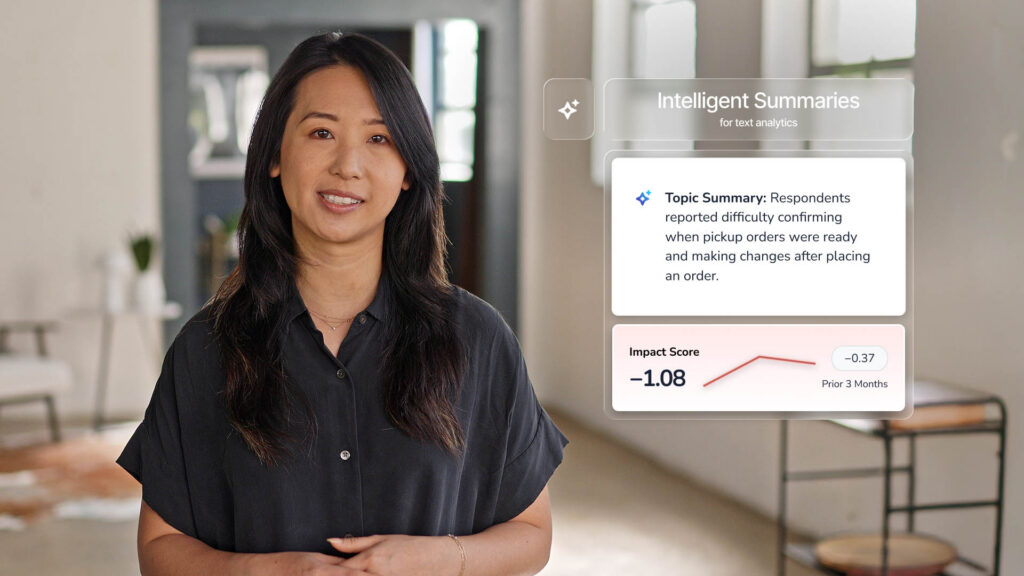
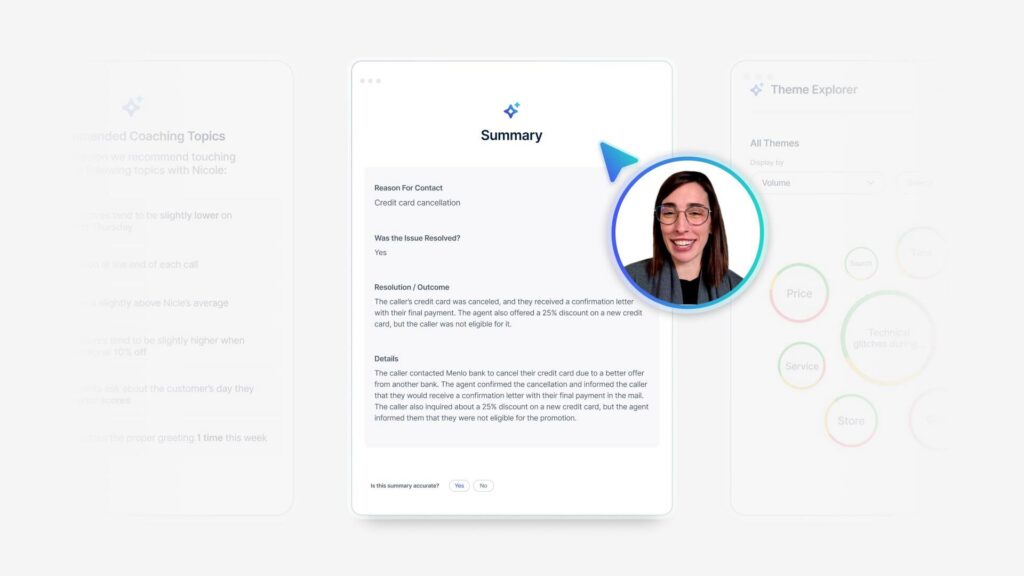
From here, we can actually leverage some of the new Gen AI features that we have integrated in our system, in this case, for generating a TA summary, getting a quick snapshot of my topic is about what are my customers really saying when they mention malfunction. And now we could see respondents reported issues with dispute and fraudulent credit charges through the mobile app.
They noted the absence of the dispute feature or button. So now we do get those really specific insights that my team needs to go in and work into. Scrolling down the page. I can also leverage themes with Gen AI to give my teams more detail into what else is being mentioned. Can we quantify the dimensions right, who are complaining about issues [00:22:00] with logging into the app?
We can also see, again, the disputing fraudulent charges in app, so that way we do validate that there is an issue going on and that it’s worth our time to go in and deep dive into that. We do have other initiatives in my business. This one is called technical errors. So what we have done is we created very specific topics that tie into those business initiatives.
My digital team has been very busy at work, making some changes, making updates, and making sure that everything is updated. So we do want to track any mentions of those technical issues over time. Now, the great thing of this is that even though I’m reviewing app malfunctions, I can overlap these topics into those mentions of malfunctions, just to quantify how many people are experiencing page errors, uploading issues, signing issues, or issues with access, right?
Again, those are important initiatives for my business and we want to be [00:23:00] able to keep an eye on that. All right. Now let me close out of that. So I’ll bring you back now to the main page. Again, looking at the high level view of all my digital feedback, I can also enable my team to see if anything is trending.
Again, leveraging themes with gen ai. I can see if anything is being mentioned this month that was not really mentioned last month. Is the volume of comments increasing? That could be a pointer for you to know there’s an issue going on.
Now, remember those very specific topics that we tie into our business initiatives. I also have them available here in a nice visual for us to track. Are the comments increasing? Is anything decreasing? Now we can clearly see. We do still have an issue with page errors. We can track week over week and see if there’s any comments that are increasing in volume.
Just to let you know, there’s just different ways for you to use Gene AI features, as we saw from the backend with [00:24:00] Smart Toic Builder, to now bringing it first circle to the front end to enable your teams to get those insights in just a few clicks. So now I want to pass it back to Andy to tell us how that process worked on his end.
Andy Shiers: So Hensley’s taken us through how code frames, topic sets can now be pretty quickly and effectively created. I’m gonna take you back to our NTT data story now. So we have the topic structure, but we wanna make sure people are using it. So what I noticed when we first launched TA was that I think most of our, certainly the executive users were not as patient as I’d have liked with text analytics.
So I had to make it simple for them, not just those guys. Also, the program owners, some of them, they were just, I’m a very small team, so I can’t be hands-on with everyone training them all the time. So the process had to be simple, but effective, relevant, and actionable. We decided to go for a [00:25:00] three step navigation, really simplify, strip things down, not for all the user roles for the CX Insights user role and for some of the management user roles.
We, we kept a little bit more of the dashboards, but it was three steps for our sort of high level user roles. The first page, which is the sort of discovery page, we put two modules on that. Really very accessible, very easy to understand. You could see them, you know what they’re saying. The first one was displayed on a sentiment scale.
So you had the list of level two topics on a sentiment scale. The second one was the impact score. I found sentiment scale was more accessible for our everyday user than impact score because you had to then explain what IMPACT score was. But what we did at the top of the page was give instructions really simple, like three bullets.
If this is text analytics, this is what it’s gonna do for you. This is what topics are, this is what themes are. Don’t forget to use the filters so that you can refine it down to the areas, the regions, the business [00:26:00] units, whatever that are useful to you and are, that you wanna look into those three bullets made a big difference.
People were welcomed by these instructions and knew what they needed to do. So they would go down the sentiment scale, for example, sort it by negative themes or positive themes or whatever they wanted to do, but when the second click was on the topic two, which would then open up the topic three and allow them to drill a bit more into the detail of what it was that people were saying.
And then the third click would actually take them to the comments themselves. And I found with our audience, the sooner you could take them to what the clients, what the customers were actually saying, the more it would resonate. So they could then take those comments, they can remove them by sentiment.
So only look at the negatives, only look at the positives, whatever they wanted to do. But they then would take those into meetings, into steer codes and say, this is what the clients are saying on this topic, which is the one that’s getting most negative feedback. We need to do something about this. We didn’t, completely discard the other great [00:27:00] modules in text analytics.
Of course not. We had things like impact by category where you could, use a dropdown to select business units or regions or whatever it may be. We still had that. We still had the theme explorer. I think people liked. The usability of the theme explorer as well. They were just a little bit further down, but what we did outside of the text analytics dashboards was bring it into our regular program dashboards a bit more.
So we already had top five and bottom five topics in our relationship dashboard and in one of our engagement dashboards post project management dashboard. That always really resonated ’cause I think people could see at a glance what the comments were telling them. So we now had this refined topic set.
We’d brought everything up to date and made sure everything was relevant. We then deployed those top five, bottom five topics, modules into all of the dashboards, and we got the program owners to communicate that and make sure that. Everyone in function who was using Medallia was aware of that of that [00:28:00] new tool.
We also started to use some of the other parts of the platform a bit more. We started to dive into action intelligence looking at recognition which had a massive impact for us. Again, a really easy to use tool with a recognition section that pulls out individuals, teams that are named by clients as having done a great job having gone the extra mile, and those are then called out by the functional owners who own those programs, copying in senior management into an email and saying, well done guys.
You are the. The CX Heroes of the month, and that would resonate really well. So it just makes it so much easier having Action Intelligence and the recognition module within that. So if we talk in terms of timelines, what we had, what we’ve got now, where we’re going, so we had the Outta the Box solution, as I said, little bit confusing, a bit daunting for people only partially relevant to the business.
We went to work on that. We optimized RT engine. That’s the sort of, today we’ve got this [00:29:00] optimized version as it stood. About a year ago anyway, and we ensured we were addressing relevant topics and driving actions with real business outcomes. Doesn’t stop there though. The future tomorrow, you’ve gotta keep maintaining that and.
Organizations evolved. Ours has evolved over the past couple of years. We’ve come together into one organization having been three pretty big ones, and now one enormous one. That means we’ve got lots of new product in our portfolio, we’ve got new user groups. We need to make sure that everything is factored in, and whereas that would’ve been a very difficult task, not impossible, but it would’ve been time consuming.
It would’ve taken a long time to do, to get everything back up to date for our new. Integrated business. Now with smart topic builder, it’s gonna be a lot easier and we’re gonna be able to do it a lot more regularly. So what we are looking to do is expand in that way, expand the topic sets, make sure we’re still getting the relevancy, expand the user groups, and [00:30:00] also we’ve got this amazing tool and we’re gonna refine it even further.
We want to make the most of it. We want to maximize its potential. So how do you do that? You put more data in at the top of the funnel. So I think two key themes. Past couple of days have been AI and unstructured data, so we’re diving right in with those. We’re about to launch a proof of concept where we’re bringing in lots of data based on tickets from ServiceNow dialogues, chat transcripts, notes, ticket descriptions, case descriptions, putting it all into the system and seeing what we can get from it.
We don’t know yet. It’s gonna be a proof of concept. We’re gonna see what great information we can get, but we know at least that it’s applicable to our business. And we’re really excited about what that can tell us and what the future holds to Ellie’s point earlier, further integration with ai, bringing some of those tools that leverage text analytics into our platform.
So we will be rolling out smart responses and we’re also going to roll out root cause assist [00:31:00] that hopefully in the next couple of months is gonna happen. So able to do that as well. Then it’s gonna be a lot easier to maintain, but the smart topic builder as well. So it’s about this constant evolution, always staying on top of your text analytics engine.
It’s one of the reasons we use Medallia because the scores are lovely, but the comments are where the real gold lies. So you really need to stay on top of it, maintain it, and thankfully we now have the tools that make that a lot easier. Okay. I’m gonna hand back to Ellie now to conclude the session.
Thank you very much.
Eleanor Telling: Thank you so much, Andy. Hopefully this has inspired you in terms of not just what you can actually achieve with your text analytics, but also inspired you to think about how much easier this is going to be going forward as we move into the future with some of the great new features that are coming through from Medallia.
So really, I’m not gonna spend a lot of time on [00:32:00] this because we wanna give you some time for questions. But instead of takeaways, these are takeaways slash call to actions. The first thing I pose to all of you is value. If you’re using text analytics, is it providing that value on what do you need to do to ensure that it is gonna provide that value?
And the value is obviously investment. And you saw that the investment that NTT made. The tool has created a huge amount of outcome. They found actionability easier. They’ve been able to engage more audiences in utilizing the information to drive change within the organization, but it did take that investment and then going into the technology.
If you think about now, the work that had to happen compared to the work that has to happen now, it really is. Transformational in terms of getting you guys up and running and in there and really optimizing this immensely powerful part of the Medallia [00:33:00] platform. So let’s just quickly finish off with some of those great demo highlights.
I’ve spoken to a lot of people over the years about text analytics and one of the things that they’ve often said is. How do I start, how do I get this going, what do I need to do? It seems a bit daunting. Hopefully what Hensley showed you today, and I know a lot of you have been going to talk to some of the product counters, et cetera, is it doesn’t have to be that difficult.
Now there’s a great automated way that we can take the information and help create. Those topics give you ideas about which topics need to be created, and also provide those rules so that you’re translating that information into those topics, and then it helps you as well. In terms of other topics, going back to my original point, are they doing what we need them to do?
Are they accurate? Are they gonna provide value? Will I feel confident if I push this to my business and people start making decisions on them, which at the end of the day is what we’re trying to do with the information we’re [00:34:00] collecting anyway. And then finally as well, we know that creating these topics is critical, but it’s only part of the journey.
We need to make sure that this information doesn’t just sit in a backend. We want it to be pushed to people for usage. And as you saw, some of the great ways that now AI is being, not just using the backend to build them, but the front end to make it easier for people to understand, easier to use, easier to drive action.
Like I said, I think there’s a lot of exciting stuff coming. Hopefully you feel inspired by everything that you’ll be able to do. And thank you so much for your time. It’s almost lunch questions.
Audience Question 1: Hi. Thanks. So I think my question would be, ’cause I am deeply involved in this, is how do you review the accuracy of your text analytics?
Do you have people reviewing the categorizations and how do you. What is the process for that?
Gensly Mejia: Yep, that’s a good question. So the current [00:35:00] state, the way that you review the accuracy, yes. It’s a manual job where you go in, read the comments that are categorized to each topic to make sure that you’re at, at least 80%, hopefully higher.
With smart topic builder. That part is going to be one of the options that it’s going to help you. Now the system is going to review those comments for you to categorize or to measure the accuracy.
Audience Question 1: We have, every single survey that we have, for the most part, is reviewed by a person, every single survey, thousands per week.
And we find the accuracy to be considerably lower than 80%. So the issue would, and what we’re now, there’s a flaw in our analysis, we say that the person is correct. If they change what Medallia categorized the topic and change it to something else, then Medallia was incorrect. Now it is possible for Medallia to have incorrect and the person was incorrect and changing it.
So there is [00:36:00] that sort of issue. But it’s one thing to look at in text analytic screen and say, yes. Agree. I agree. I agree. I agree. I agree. I disagree. And see a score of 80% and then you go, but then when you go and actually look at the surveys that came in, you take a representative sample of a thousand surveys and you see how they’ve done, you’ll see that the score per survey is lower.
So I was wondering what sort of. What sort of check balance and checking and everything else to see whether it’s 80% or 70% and where the flaws are.
Gensly Mejia: Yep. So like we said, ideally we want to be at 80% or higher for precision and accuracy. Now, accuracy means, is my topic definition aligned with those comments that we’re capturing, with that specific topic. And if I correctly, what you’re saying is that going from survey to survey, that could vary. So there are different ways to capture. Let’s say we have one topic when applied to [00:37:00] survey feedback, it’s a good accuracy, but when it’s applied to, let’s say, conversational feedback might not be up to par.
So that’s where we need to then getting our attention into. Then maybe we need to just fine tune that topic for the conversational feedback to make it app applicable to that feedback.
Audience Question 2: Hi. Good morning. Thank you so much for taking us through that slides. NTT shared earlier that they started out with so many topics, right?
Was 300, if I believe, and then you ated it down to about two 20. I know you mentioned some of them were two, two duplicates. My question is then, do you have a suggested percentage or guideline when you. When do you take out a topic that you created? Because it’s not yielding a significant amount of volume.
The accuracy is there, but the volume isn’t really something, just an example, is it a 1%. Threshold or a 10% [00:38:00] threshold where you think that this topic is just creating noise in my topic set and not really a thing.
Audience Question 3: Sure.
Audience Question 2: You wouldn’t know that unless you launch a topic too. So just curious on what’s your best practice or recommendation on Yeah.
On when to keep a topic based on its volume to the set. Thank you.
Andy Shiers: Yeah. There were a few occasions when we. Had say a 10% and a 2%, and they could be amalgamated. And in some cases we found that topic sets were close enough to each other that we could combine them and have one definitive one.
There were other instances where there were clear duplicates and that the system was getting confused, so we just had to remove one. And there were others where. Over time, we just weren’t getting any allocations. So we would remove those as well. But there were quite a few times when we combined and we found a way to, have a specific level three that would cover both and still give us relevant insight at the [00:39:00] end of it.
So we reduced it by about 80, I guess it was roughly 300, something like that. Maybe slightly less, but. We knew that would just be too many. And it, we always knew that was gonna be the case right from the beginning of the exercise. We were always going to whistle it down. But yeah, that, that’s really how we did it.
And we tested it, we ran the comments through it numerous times. We put it in front of other people to make sure it was still useful. And and that’s how we ended up with that number. Yeah.
Eleanor Telling: Just an interesting comment when we were going through that exercise is one of the things I always say is never delete.
If you’ve built, it might be that particular area is, maybe it’s, depending on your industry, more seasonal. That’s probably not the case in terms of NTT data. It could be that it is something, or maybe as you change and you expand what you’re looking for, more information. So instead of actually just deleting it, there’s a way to basically hide it from the system so it’s there in the background.
That also allows you, when you’re doing your [00:40:00] topic reviews and linking the two, the front end and the back backend together to say to yourself, actually maybe it’s gonna emerge. At a later date. So like you said, any work that you don’t have to remove. But I think the process was literally, again, as you go through, you look for those huge areas where you might have so many comments that you’re like, actually, is this actionable?
Am I missing a level of detail? Versus have I got what I would call micro topics where they’re very. Specific and I’m got not really getting enough insight. Even if I did, if I’ve got five people, is that something I wanna action within my organization? So we went through quite a back and forth over that.
But it’s always, this is going back to Hensley’s point. The human element in doesn’t go away. You guys know your businesses. There’s an expectation of understanding your customers. So that allows you to be a little bit in control of what makes sense for you as a business to action.
Audience Question 3: Very exciting.
I just had a quick question as far as topics go. Are there rules [00:41:00] or settings that I can set up to say a specific topic should be alerted to a specific team instead of me being the like conduit with that? Does that make sense?
Gensly Mejia: Yep. Yeah, absolutely. So you could use topics to build a logic behind a, an alert, right?
So you could create topic alerts where. If there’s this specific topic that you want, any comments that are tagged to that topic to then go to a specific team, it’s something we could do. And then the best practice would be don’t make that topic visible in reporting. Just hide it from reporting, but still it will work in the backend.
Sue forward the alert.
Audience Question 4: I have a question. Will smart topic builders support conversational data out of the gate?
Gensly Mejia: It is going to support conversational data.
Audience Question 4: Okay. What about if you have topic segments? Will it add rules to different segments?
Gensly Mejia: I didn’t hear that. Say that again.
Audience Question 4: If it, if you have topic segments.
So I saw in the demo,
Gensly Mejia: oh,
Audience Question 4: segment applying it across the board. Will it [00:42:00] know to write different rules based on your segments?
Gensly Mejia: That’s a great question. Can I phone a friend? I don’t know if we have our product support here.
Audience Answer Assist 1: Hey, Alex. That’s a great question. So hi everyone. I’m the product manager for Smart Topic Builder.
That is a great question about segments. So currently we do not have support for segments at this time, but you can always create rules and copy them into the individual segments within topic Builder. Yeah, but that is on the roadmap.
Eleanor Telling: Thank you. Thank you.