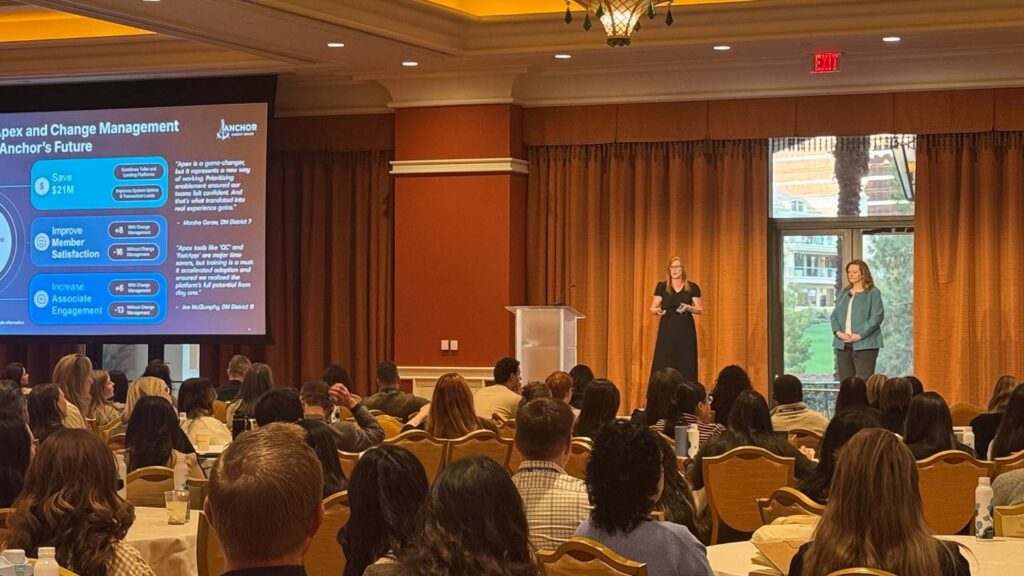
Alyse Fuller: [00:00:00] My name is Alyse Fuller. I am the customer experience program manager at United Rentals. And if you haven’t heard of us, United Rentals is a international construction equipment rental company because we mostly deal in construction equipment, but we do a lot more than that. And as you can see there, we are all over the place, all over North America.
We’re in Australia, New Zealand, Europe, lots of locations, lots of employees. At our hearts, we are a service business first and foremost. So far beyond equipment. We partner with Medallia, like most of you, all of you, to help us measure the health of our brand reputation, our insights from our, to gain insights from our customers, from our employees, and hopefully use those insights to keep growing and improving our business.
We’ve all heard the buzz about ai. It’s everywhere is in so many tools that we’re [00:01:00] touching every single day, and it’s being praised for its potential to help us with our efficiency. It’s being praised for a lot of things, but that’s the main call to fame, right? Efficiency. But we have to keep in mind efficiency means more than just speed.
There’s speed, yes. But in our world as CX practitioners, that speed needs to be intentionally for smarter. Insights and improved actionability on those insights. So I’d like to share with you how United Rentals is leveraging Medallia’s AI tools, in particular to drive both tactical and strategic efficiency and how it’s transforming my role.
So by the time we’re done, you’ll know exactly which of Medallia’s tools we’re using and helping how they’re helping us move smarter and faster. Before we get started though, help me out. You’ve probably done a few of these today, but if you could scan the little QR code, I’m [00:02:00] curious to know what the attitudes toward AI are in this room.
Let’s see. All right. That’s yeah, so that’s really strong so far. I’ll keep updating if anybody’s still scanning, but this is probably close to what I thought. So that means most people in the room are willing to adopt AI as long as it works. So this is conditional acceptance, which is pretty healthy.
We have a few that are very enthusiastic. Bring it on. Let me see it, let me play with it myself and we’ll go from there. That’s me too. And then, just a little bit down there concerned that AI is going to ruin humanity. That might have just been me. I put in a couple of tests. Let’s talk a little bit about readiness for change.
Every CX program goes through an evolution process. You’ve probably, for those [00:03:00] who’ve had a program in place for a minute, you may have seen Medallia’s maturity model before. There’s a lot of different versions of this model out there from different providers. Most of them have five or six stages. This is pretty on point with what everybody else says A CX maturity model should look like.
This is Medallia’s version, and United Rentals is heading into a space where we’re really focused on scaling up the impact of our program. We have here a timeline that happens in the background of these stages that’s not on screen. So typically on average, a lot of companies will spend one to two years in these earlier phases exploring what’s possible.
So they might start off with some ad hoc research with customers. It’s not necessarily an organized CX program. Then they implement some tools, more listening posts, and get better in smarter over time as their program matures. So one to two years in those first stages, add another three to five years on average in what we call here the fixing and improving [00:04:00] stages.
So that might sound like a long time, but it’s about average. The real timeline for each company here is going to depend on a variety of factors. So things like defining accountability within an organization, navigating operational silos, navigating how complex your data architecture is, or maybe too simple your data might be.
So there’s a whole lot of reasons that this might take even more time than what I’m talking about here. Analytical prowess is one of those factors that I think influences the timeline here because the faster you can learn from the data you have, the faster you can mature, right? So at United Rentals, we practice a very deliberate process to go through these maturity phases as a function of discipline, wanted to make sure nobody gets left behind.
So from the very beginning with implementing our program, there’s a lot of training, a lot of enablement. To make sure everybody understands the value of what we’re trying to do. [00:05:00] So we’re about on track with an expected timeline here. We implemented our listening posts back in 2018, spent about two years on implementation and change management.
Since then, we’ve been adding legs to our program and getting more and more involved, more listening posts, more data, better data, and just going from there. Now we’re starting to have some of the more advanced features of our program. Starting to come into play, and we’re getting, again, smarter with this as we go
by implementing these smarter tools.
These technologies that are coming out now with these AI features is that
I think programs who are just starting off now are going to advance through these stages a lot faster than what we’ve seen from CX programs in the past, including ours. So I’m very compelled that you are to not get stuck where we are now.
So I wanna leverage as much good technology here as we can. So before getting into specifics on how we’re using Medallia’s AI tools, I promise we will get there. But first, some background context. [00:06:00] We found ourselves very ready for AI tools to start coming out and Medallia’s AI tools have come at really the right time for us.
So since we first implemented our program, we were in this cycle of, it was such a success story. Starting off in a really good place with NPS and watching our scores go up and consistent and up and consistent. And that’s exactly what you want to happen When you implement a program like this. We listen, we learn, we do better, we listen, we learn we do better.
It’s perfect. Great. So scores were upper seventies for a long time. That’s something to really be proud and excited about when we were, but that cycle of improvement and consistency, although from a business performance perspective, this is great. This is really good. From a CX maturity perspective, this level of consistency and high performance limited my ability to really pressure test our insights engine.
So in other words, I wanna make sure it’s going to hold up under any conditions. I wanna make sure that I am [00:07:00] monitoring for every possible thing that could go wrong, ever. I wanna make sure that it can detect changes with a high degree of sensitivity. And if the score is not. Going through a lot of variations, I just don’t get to know for sure if it can do that.
So in 2023, tail end of 2023, I got my moment to start pressure testing because there was a little shift in how our score pattern was taking shape. It was the first time I’d seen it go a little off the normal pattern. This generated a lot of interest as well. My leadership team very rightfully wanted and needed to understand what the contributing factors were, what was the context behind that?
So I leaned into the data, found our very robust text analytics and our regression models, and all the tools that I had were just talking about the same. Topics of interest as they usually did. So there wasn’t anything [00:08:00] big going on there and nothing new. It was just a gentle softening occurring across a whole variety of things.
So that left me really trying to figure out where these score ships were coming from. So I’m slicing and dicing my data. I’m going through one segment at a time, deeper and deeper, just doing everything I could to try to see was there a change in distribution? Was there something hiding from me that I wasn’t monitoring?
Everything you can imagine. And even beyond that too, importantly, where was I not seeing these changes happen? Because some teams were not experiencing a difference. Is there something that they’re doing? Is there best practice forming that’s inoculating some folks from experiencing the same difference in the pattern?
It. No matter how I cut it up, it was not any one particular thing going on. Again, it’s just a general thing happening, so there’s no single point of failure. As it turns out. There were a lot of industries [00:09:00] experiencing these kinds of score changes around 2023 and 2024. Maybe some of you all were going through similar exercises at that time, trying to figure out if there was something bigger than you were.
Keeping track of keeping track, but I didn’t know that at the time. And even if I had, we wouldn’t have dismissed this because we were trying to stay very focused on what factors we could control. So there I was swimming in a sea of data, cutting edge shreds, leaving no stone unturned, and just staying un fact focused again on what can we control here?
There was no shortage of operational data for me to play with operational data. Just as a challenge to extract clarity at speed, this was a big time investment. If root cause assist had been available in 2023, when this shift first started, I would’ve gone about this evaluation in a completely different way.
And we’ll talk more about [00:10:00] that, I promise we’ll get there. So this led to my leadership team asking me some really great questions. Why? Is this happening? And what are the next steps? What do we do from here? These are great questions, and it made me start envisioning a future where this program would be capable of both diagnosing an issue and also maybe even prescribing a remedy.
Alright, so that leads to a bigger question. Am I putting the right data into this system that it could possibly. Evaluate remedies along with root causes. We needed a different set of insights to work with if we’re gonna give a prescriptive action plan along with our score reports. So looking at our surveys, we find customers really great at answering the what factor, what did you expect to happen versus what did happen.
What was your [00:11:00] level of success? What emotions did you experience? They can talk about what very well and in great detail, but when it comes to why that’s often obscured in voice of customer, because your customers and my customers can’t and shouldn’t know what’s going on behind the scenes, that’s where all the logistics happen.
That’s for us to know. It’s not their it’s not in their view most of the time. So if I really wanted to get to the why. Then I need to peel back the curtain and source my information from the people who are back there and know what’s going on. So at the heart of our program, if we’re thriving on listening, but only listening to one side of the story, then I needed ways to bring that internal knowledge from our frontline on a regular basis from the people who are closest to the work and all the processes.
And can tell me what’s going on. So our excellence team, we have an operational excellence team, fantastic group. They decided to roll out this idea of [00:12:00] having monthly team huddles at our locations. Our frontline team basically comes up with their own agenda. They get together once a month, I think maybe an hour.
And they are meant to talk about a customer experience topic of their choice. It can be an example of a survey that they’ve gotten recently. It can be a scenario they’ve encountered. It can be a customer focused metric that they’d like to focus on, but it’s up to them. And then they work through whatever their topic is from start to finish, and they try to figure out is there any work friction going on here?
Are there issues that could have been prevented? What did go wrong? What could have gone wrong even in another reality? So by doing this, there’s this high degree of accountability among them. They work through their creative energies and they come up with ideas. They come up with root causes, they come up with solutions, and then they take notes.
And if they submit these notes, I am really happy. If they do we end up with a. Repository of completely [00:13:00] unstructured text. Just text, no sentiment. ’cause this isn’t a sentiment survey, no scores. ’cause it’s not an experienced thing, it’s just text. So we didn’t really know what to do with all of that data at first, but once we had it, AI entered the chat.
From there, we started experimenting with kind of just typical chat gpt type functions. But what we found is that we could actually query this data, this wall of text, and ask it to help us solve for things. And lo and behold, hiding in there, we could find root causes, we could find ideas, we could find trends in what our teams were talking about on the front line.
So if we can use this to evaluate those factors. We can use Medallia to show us what our customers are asking us to focus on most using things like text analytics, and then we can use these AI tools at this time outside of Medallia [00:14:00] to evaluate how our teams are thinking about these issues and what they’re seeing.
But wouldn’t it be awfully nice if we could have all of that in a single system instead of two separate ones? I worked with our Medallia team. They’re very creative and wonderful, and they helped us bring all of this together into a single source of information so that we could get these insights right next to each other.
What do the customers need us to focus on and how do we do that? We must agree to allow Medallia’s AI systems to access our data. There’s a form to be signed and it looks really simple. It’s just a one pager. So I took this to my legal team as you do, and we had a discussion about any implications that they could think of related to AI usage in general.
Now, we were pretty young in our AI journey. I imagine there’s a variety of starting points in the room here, but we were very early on in this process, so there was a lot of discussion to be had here. So I worked with Eagle. They [00:15:00] gave me some good information. They suggested that maybe I go to our technology team next because a lot of factors here are related to data security, customer privacy, what kind of information is being accessed.
So I did, I went to it, made sure we were very well practiced and understanding exactly what all of these kinds of concerns are, what the laws are, et cetera, that we’re in compliance in every way we can. And then they recommended talking to another team. Because they told me about a project going on over there that sounded really neat, and then they recommended that I talk to another team.
Had another really cool thing going on, and next thing you know, I’m having meeting after meeting. And it quickly turned into a much broader, very energized conversation about our future with ai, and not just with Medallia, right? But roadmaps, innovations. Which of our tools are already in existence that are having AI features coming out?
Where are they being used? Where are people getting creative and coming up with their own AI based solutions? Are they using chat, GPT? What’s going on? [00:16:00] And it was an incredible experience actually. We were having all kinds of discussions, even including conceptual stuff, like what does this look like 10 years from now, 20 years from now?
How do our customers feel about the way that we’re utilizing data about them? How about employees? So this was a really exciting time for me. Your companies may already be having a lot of these discussions or have already had them. Mine was definitely already having them, but. I got to be involved and stick my hand in all the cookie jar.
So what was clear is that we had some real enthusiasts and leadership roles across the business. They were viewing AI functionality as a tool to serve us and our customers, which is great. And once we felt we had good alignment going on across all of these practical and conceptual conversations that were playing out, we gained buy-in to go ahead and execute Medallia’s little form.
So the Medallia form didn’t. Make us have these conversations. Wasn’t required, but it was just a catalyst to bringing all the right people to the table to [00:17:00] have these kinds of discussions and have a reason to have that discussion. So along the way, amidst all of that going on, I also happened to do an internal survey.
It was not intended to be about ai. It was like completely unrelated. It’s a happy accident that I happen to collect an awful lot of employee comments about AI features and our tools. I wasn’t aiming for it, but since I had it, why not use it? So in the circles I’d been running in here, there was this high degree of enthusiasm and curiosity, which is great.
But this survey covered a very broad swath of employees in every kind of role. In every level, right? So that gave me a lot more perspective, and what we heard here is different roles, having their own practical motivations. Related to AI adoption, it showed there were different paths forward to discussing AI usage.
So with the enthusiasts here, simply giving them new tools to play with, leads to adoption, they’re gonna [00:18:00] try it. They’re enthusiastic about it. Give me the new thing, but. With others, a more step-by-step approach might be the ticket. In general, most employees from the frontline to leadership roles are willing to adopt AI if it consistently works, if it’s accurate, and if it actually improves their efficiency in how they’re navigating their tools and processes.
So it’s again, conditional acceptance, much like a lot of the folks in the room. What they were also saying is that they were not particularly impressed by the novelty of having a shiny new toy. So not AI for AI’s sake, ’cause it’s cool and it’s new, it’s got to actually perform its job. So let’s go ahead and talk about the elephant in the room.
There are certainly some folks in the world who are viewing AI as something a little more intimidating. This can be. Any employee in any role, in any level, in any business. So nobody is completely immune from having some folks who are a little [00:19:00] less comfortable here. They may be raising topics like job security may come up, or general resistance to change.
Things are moving really fast with tech. So for these folks, too much AI related fanfare can actually be really off-putting. And push the other direction. So even the occasional pop culture reference comes up in some of these undertones, right? There could be some future here that we need to be concerned about.
So what I wanna point out for these guys though, is that this is not a blockage to AI adoption. This isn’t the resistance. It sounds like this is a need for clarity and for trust. At United Rentals, we have been very communicative. Any AI enhancement that we’re doing is used in support of our teams and our customers.
I still wanna be sensitive though, to the full range of comfort levels across all of these different kind of personas here, and the motivations for each audience. So with this context [00:20:00] in mind, it decided to start off our AI implementation with the most user-friendly elements first. Allow people options for dipping their toes into the AI pool comfortably.
Options. Ultimately we simply need our tools to work. It doesn’t matter what kind of technology it is, we just need to know that we can rely on it and it’s gonna do its job. Knowing where my audiences stand here has been really helpful and how I’m approaching these conversations and my rollout plan of new features within Medallia.
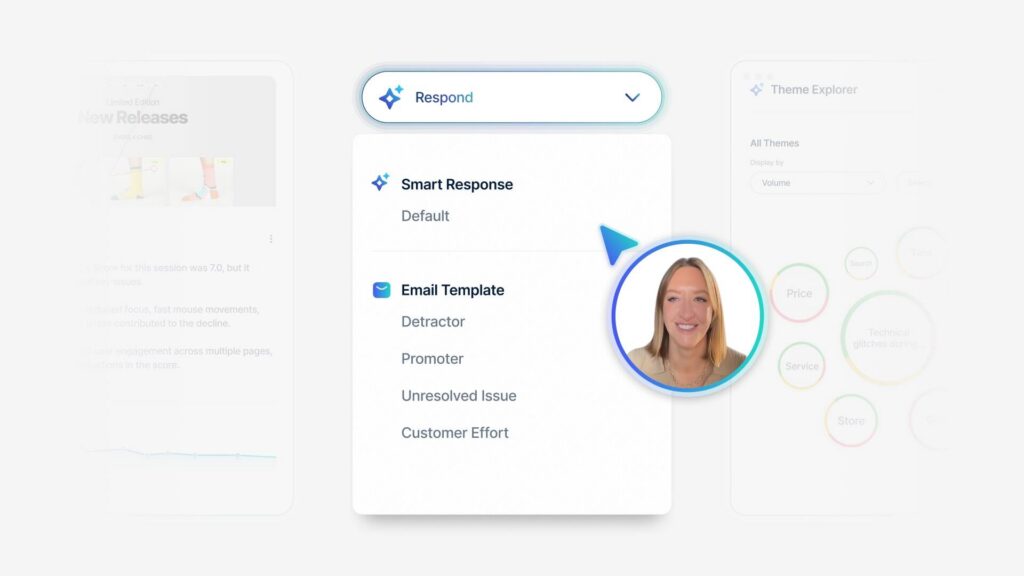
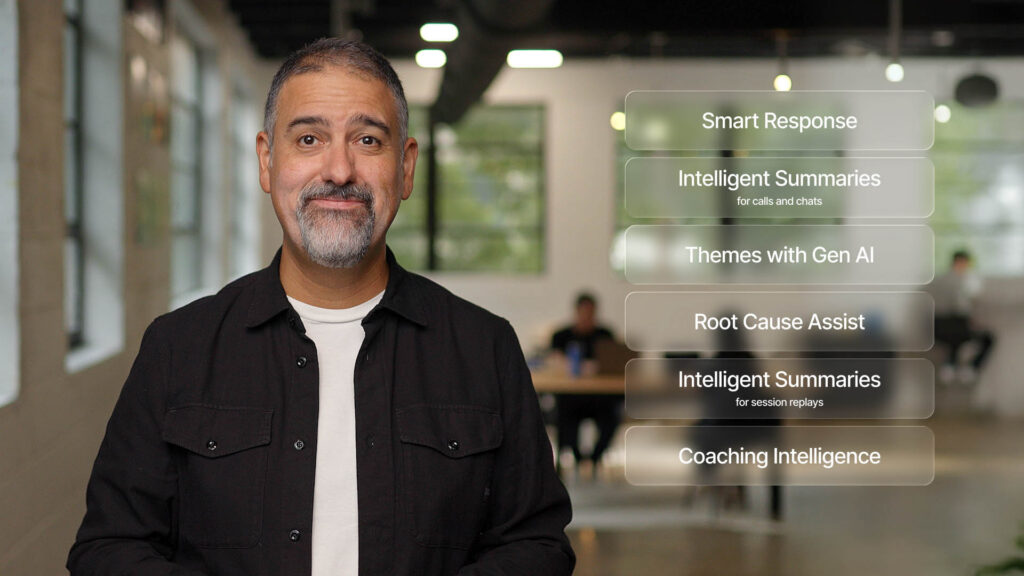
Alright, the first AI tool we added in our instance of Medallia is Smart Response. Stats about AI usage vary depending on the source, but according to Adobe, just here in January, they said over half of adults have used some generative AI in some way. So chat, GPT or Deep Seek, or some of these more common tools.
I suspect it’s actually a lot more than that. Probably people who have used generative AI passively without knowing that’s what it is. Say Google search, which adult [00:21:00] among us has not used Google search and seen generative AI at this point. Like everybody, right? It seemed like a really comfortable start for my Medallia users to start off here with something that might feel somewhat familiar already.
It’s generative text
that’s not too scary, right? It’s just generative AI as they’ve been seeing it already.
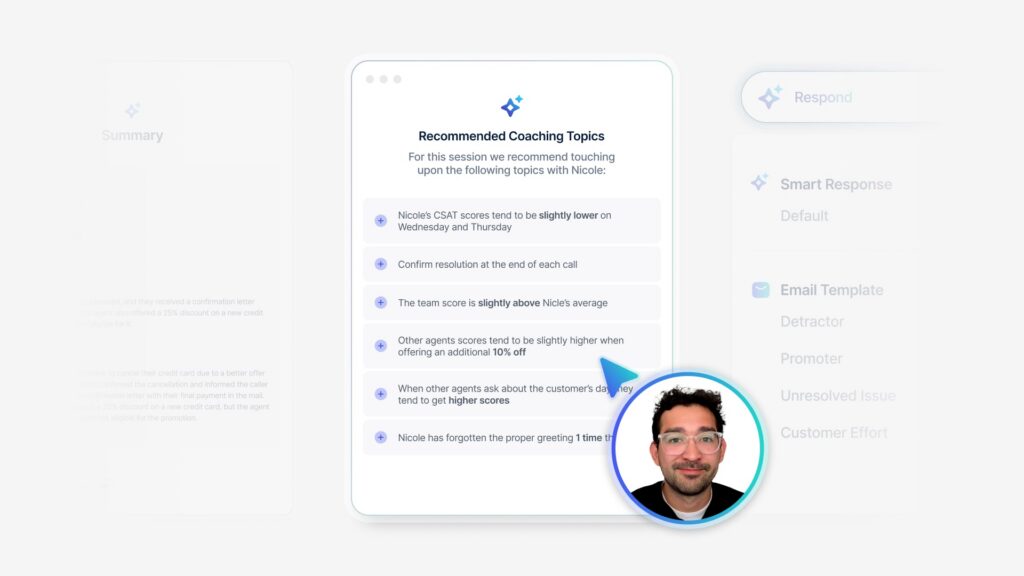
You’ve probably heard some great stats already, probably about smart response, and I’ll share exactly how that’s turning out for us that you are. Our managers are closing out alerts six hours faster on average when using smart response versus when using the old canned responses.
That’s great. Everybody likes that stat, but what I really like to see is the natural adoption rate. So when we first launched Smart Response, we actually didn’t really do a whole lot of communication. No fanfare. No. Hey, this is new, shiny, new AI tool just. Made it available right next to the canned responses and watched what [00:22:00] happened from there.
So the big selling point of AI is that it’s easy. So I shouldn’t need to really train people on how to use it should be really intuitive. So that’s what we did and what we see in that chart there is just. That natural adoption rate. The first month was maybe 6% of our alerts were getting that smart response, but every month after that, so people tried it, they liked it, they kept using it, and we see it just snowballing more and more.
And I only updated it through December, but I think we’re up to 50% now without me really saying a word. So that’s been really nice to see and I think it, it shows that that tool just works. That it’s easy and it’s just right there and they can use it and rely on it. I do still see people spending time editing the response before sending, which is a good thing.
It can, we can quantify how much time is being spent doing that. And I got to have United Rentals. We just had our big annual conference in January, and so I got to talk with a lot of our branch managers, alert owners. Have you [00:23:00] tried it? What did you think of it? The feedback was very positive. They felt that the starting point, that Smart Response was giving them was leaps and bounds better than the canned responses that were, intentionally pretty generic.
So great feedback from the people actually using this. My favorite thing about Smart Response is that it formulates a unique reply every single time. So even if we have the same customer saying the same thing to us over and over, great job. That Smart Response is going to give them a unique reply no matter what.
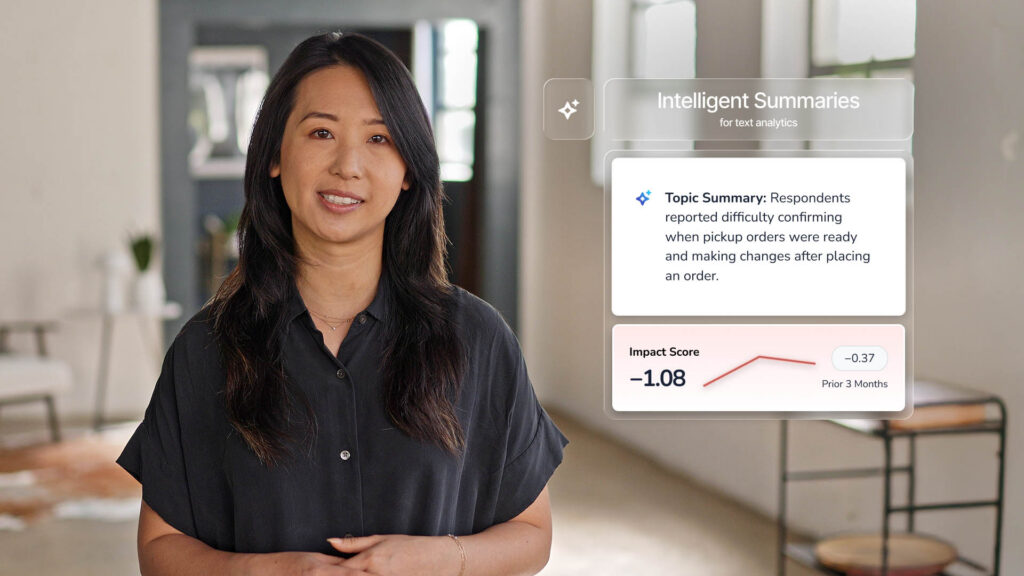
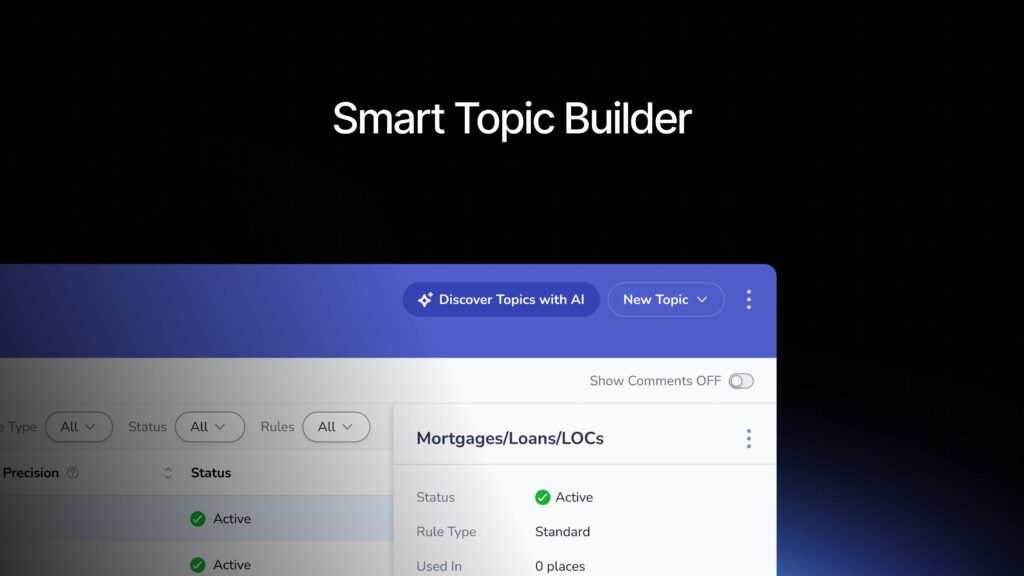
So that is really beautiful in reducing the risk of appearing robotic in our responses. The next tool we launched. Was in Intelligence summary and themes 2.0. So when I mentioned earlier about the customers can tell us what we need to focus on and our teams can help us understand why it’s happening and what ideas are happening, this is how we did this, I adore text analytics, I use a lot, but despite my efforts to name each topic [00:24:00] using common terms, I think our folks would intuitively understand. I still get questions about what kinds of word associations are going on in the background of those topics, or exactly what we’re trying to capture in there.
Just a lot of more detailed kind of questions that aren’t particularly necessary. So I also hear from users of TA that they spend a lot of time reading customer comments to really get a feel for what’s included in a topic. They have to go read a bunch of samples. Now that’s a really big time suck.
Going and reading all those surveys individually, it also can lead to a little bit of nitpicking around the accuracy and the coverage of ta, which is coming from folks who aren’t necessarily aware and shouldn’t have to be that a hundred percent perfection with TA is actually not the goal. So it’s a little bit of, but that’s not how I’d like them to be spending their time.
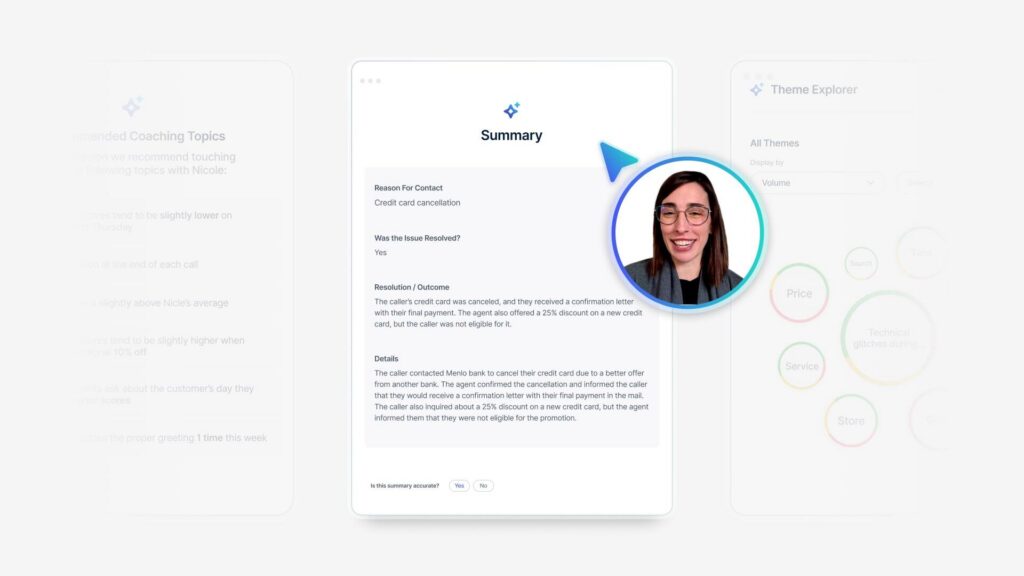
That’s for me to worry about, not for them, right? So if I don’t want them doing that, then giving them these intelligent [00:25:00] summaries is a good way to go. This is available on anywhere on your dashboards where you have text analytics topics showing up. You can apply intelligent summaries and it will.
Provide a description of the comments contained in the topic that is specific enough to understand the scenarios that are in there and in a really familiar language. So it’s easy to just read the summary and understand what this topic is about without going into those details of what are the word associations, what are the rules, how come this one flagged, but not this one.
It’s been really useful, and again, the feedback on this from people who’ve been using it is incredibly positive. I have senior managers saying they can do an entire deep dive on their region, on their team without leaving a single page. That’s, we’ve repositioned some of our modules, so there is a lot of useful information on a single page, but they don’t have to toggle between, say, a regression model and a text analytics deep dive tab.
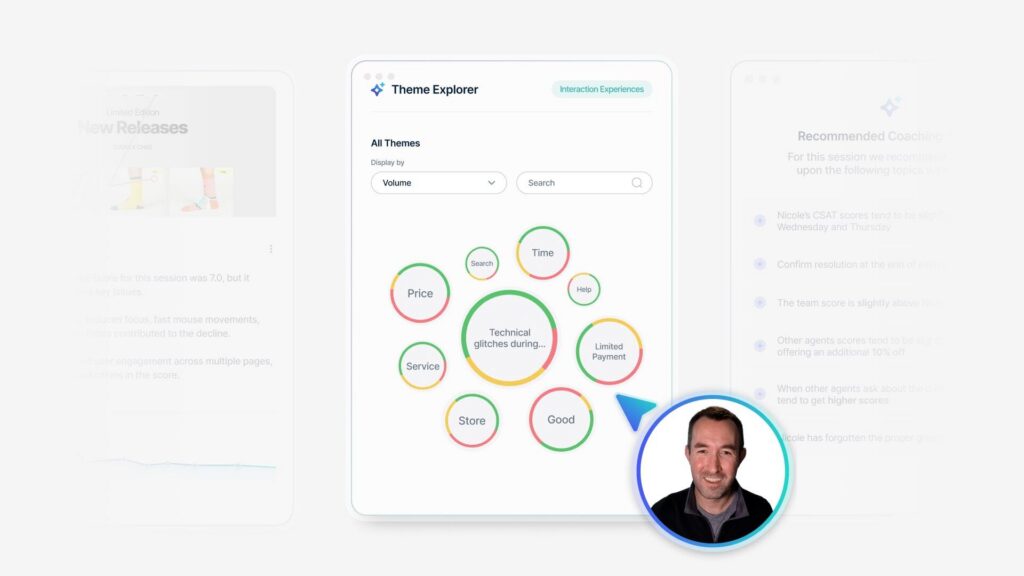
It’s all in one place and it’s easily understood in that one place. I mentioned the bringing in [00:26:00] frontline voices. That is the other side over there. This is from our team huddles. We’re using Themes 2.0 to help us organize all that unstructured data and surface up trends. What are people talking about here?
And it’s really helping us understand, again, root causes, preventative activities that are going on the front line. So now we can see what customers most want us to focus on with the TA summaries and what our teams are actually focusing on using Themes 2.0 to help us assess and organize that. The themes 2.0, it’s running based on our own language.
And this is what’s so fun to me here too, because those huddle logs are in United Rental Speak, the output is in United Rental speak, so that makes it really consumable for the users who are reading this to go, I know exactly what that means. You might notice the word rainbow tagging in there. I wouldn’t have necessarily thought to build a TA topic around rainbow tagging, and I’d be willing to bet that most of you in the room have no idea what rainbow tagging is, but I do.
[00:27:00] So does everybody else who’s reading this report, that has been a really exciting shift to not having to do as an analyst, not having to do as many translation kind of activities, or adding extra context for my business leads. It’s already in their language. This is root cause assist. Once those other features were added, moved into root cause assist.
This thing is really powerful. Before we had root cause assist insights for managers were really just static dashboard pages. With modules on it that I pre reformulate for them based on what I think is going to be interesting for them to monitor and measure. We’ve never wanted our frontline managers to become CX analysts.
I don’t want them to have to know everything that I know about how to break down customer feedback and what it means. It takes too much effort. It takes too much time. So their primary responsibility in the program is managing individual customer [00:28:00] relationships. They get the feedback, they contact the customer, they smooth out any friction.
They say thank you, all those great things. They manage their relationship individually, and they’re very good at it. They have the stats to prove it, so I want them focused on that and not drowning in an analysis activity. But since I have root cause assist and all these other tools, now that analysis need is so much less that we can actually share a lot more with them.
No analysis skills needed. So the other factor here is the time savings. So I talked about earlier, you’ll know how this affected my role. I used to spend a considerable amount of time running my own analytics and helping other leaders within the business get their analytics. So if you were say a regional manager or something, you might either have to recruit my help to get the analytics report that you need right now for your next presentation, you wanna do, or maybe you’re reliant on push reports that are set up on a [00:29:00] consistent cadence.
So if it’s April, you might be stuck using your report from Q1. That ended at the end of March. Not getting the most updated information from April in there. So this democratization of insights means that we can share access to these powerful analytics with people who need them. When they need them, they don’t have to wait for me to help them.
They don’t have to wait for a push report to come out. They can use root cause assist themselves. One of my favorite things about this tool is in the background of RCA. We can configure which data segments should be evaluated as possible drivers of a score, and we can do that by role. So what my location managers might need to see broken down is sales channels, account types, individual geographies.
But what my care center managers might wanna see broken down is call [00:30:00] types and skill groups. These are signals that don’t even exist at the branches. So by having a different configuration per role, it can surface up the segments that are most likely to fall under that role’s, areas of interest or areas of influence.
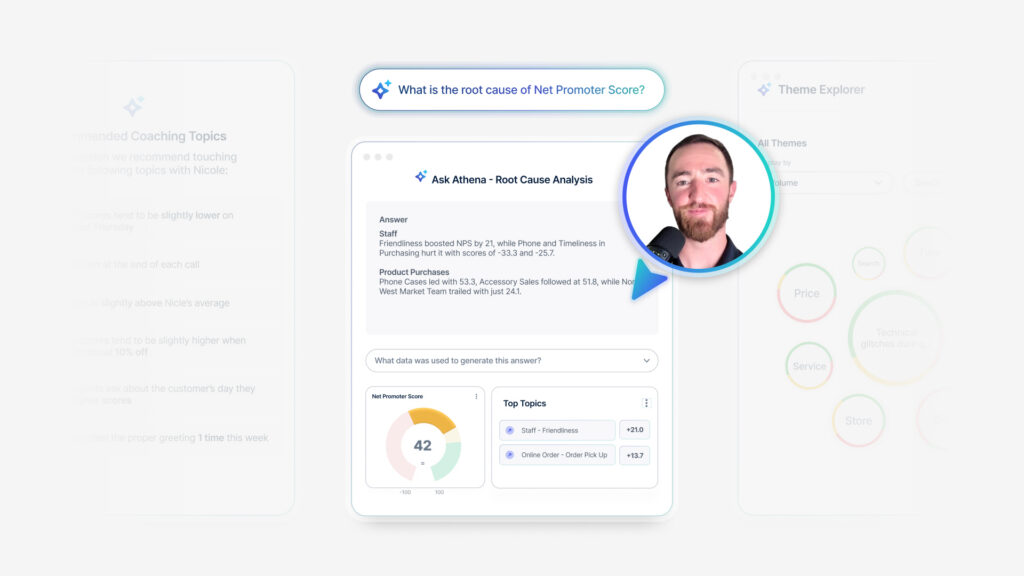
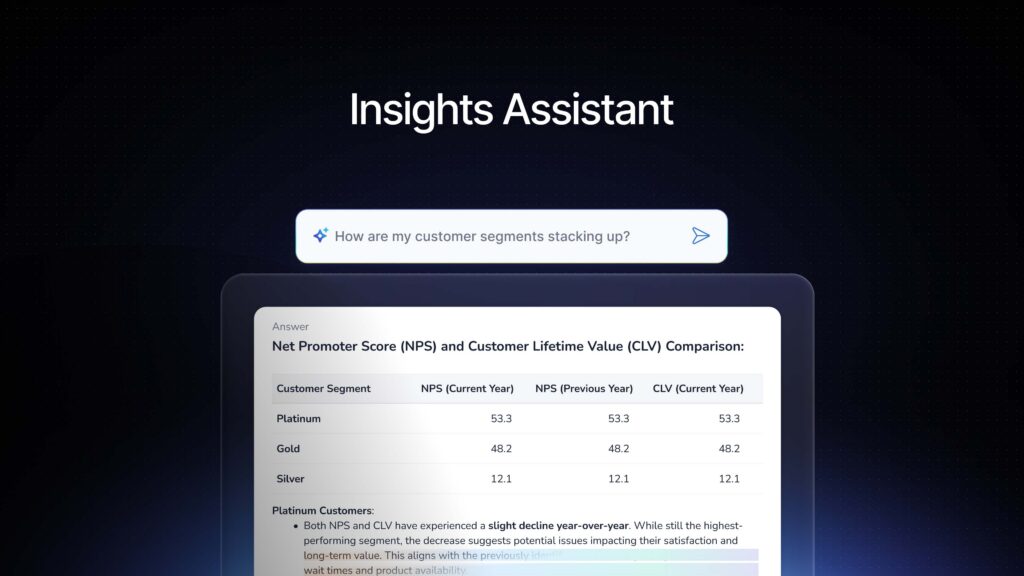
So they’re getting the most relevant information to their role without having to sift through all the signals that are not relevant to their role. So just very actionable, very relevant insights on a single click to generate. So once enabled, RCA is embedded in so many modules. Some of them you can’t even tell it’s in there unless you just click it and find out.
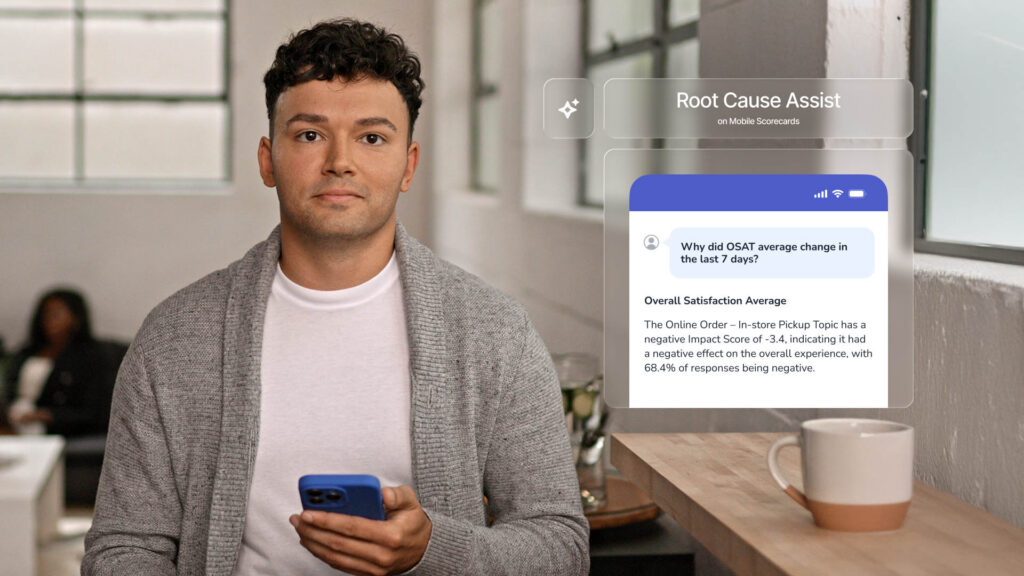
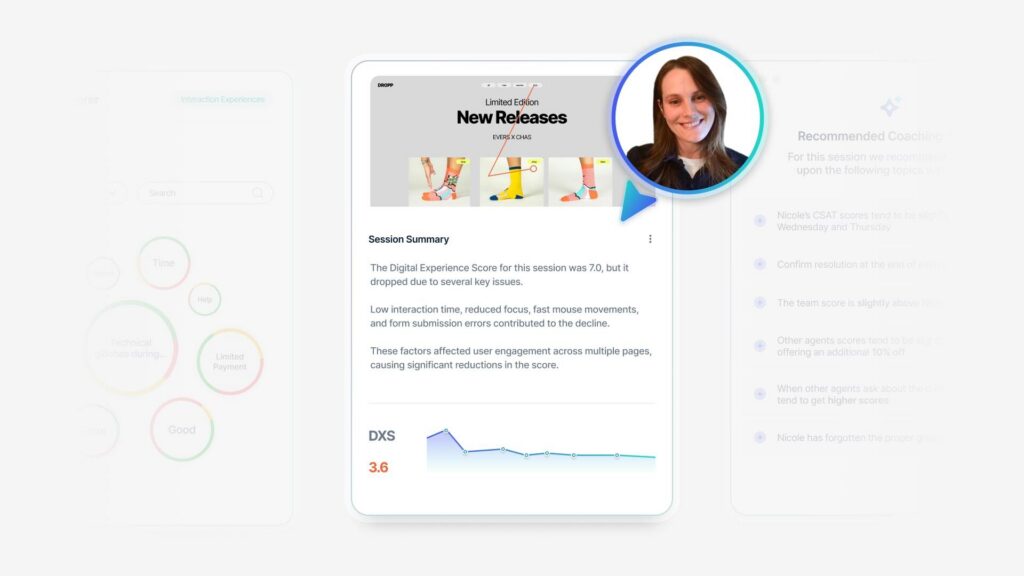
Like rinker, it’s huge. It’s in everything. If you click on different types of modules, it even assumes what question it should be asking of itself. So my screenshot there, you can see the question at the top, if you can read it from there. If you were to click on a dial, which is showing you a specific snapshot of filtered [00:31:00] information on your dashboard, it assumes the question, why is my NPS what it is right now?
If you were to click it on a timeline, though, it assumes you’re asking why is the NPS here different than the NPS at the time period before it? If you click it in ranker, so you have a benchmark set up, it’ll assume the question, why is this score different from the benchmark score? So it’s a very smart set of questions that automatically kinda determines based on which module you’re looking at, what data set you’re looking at.
It assumes what it is you wanna know. And I would say it assumes very accurately what it is I wanna know. And then it’ll give me all of the all of the insights there. You can also filter this thing by sample size. So I don’t know if this happens to you guys. It happens to me a lot. I get distracted by segments that have a small sample size and that small sample size is causing their score to go like that.
And so when I’m doing an insights evaluation, I’ve got a small sample size, the score is going like that. I go, why did their score just drop by 12 points? And there’s no reason because there’s only like 10 surveys that are [00:32:00] relevant. That’s why. It’s not anything wrong. It’s not anything that needed that moment I took to go evaluate it.
So you can filter your RCA to say, don’t show me anything that’s under a certain sample size that’s going to distract me. It’s not worth the time. That’s not what I’m after right now. So this has been a really powerful tool for me to cut down on how much time I spend chasing down signals that I didn’t need to chase down.
So I already talked about this being a little bit more of an enablement tool as well. I tend to spend some time this year focusing on it, enabling my users who are consumers of insights, who would normally be maybe waiting for me or waiting for their next push report or having to ask for help. They’re always welcome to ask me for help.
Of course I’m gonna help them. Those are gonna be really great conversations for me, and I don’t wanna lose all of them. But for those times where it’s urgent and they just need to check in on what’s going on right now, I want everybody to know that they can go get this and access it themselves. They don’t have to wait, and they don’t have to ask for help if they don’t want to.[00:33:00]
So hopefully they’ll be getting even more direct value from from these tools themselves. Q and a. So when I think about where CX is headed, I think AI is finally making the work. We do so much more scalable than it’s been in the past, especially if you’re on a small CX team of one here. I can only do so much.
We can all only do so much. But tools like this are allowing us to take it so much farther and to democratize not just democratizing data, but democratizing the insights themselves. And that’s where the power is. I don’t need everybody to be a data architect or a CX analyst. They just need access to the insights that matter the most to them, so they can start pulling on those levers to make a difference.
With that, I’ll open up for q and a and stop talking at you. I think we have a mic runner. Anybody have any questions?
We just turned on intelligent summaries and RCA in just in our admin [00:34:00] role. And I’ve been working through just like validating the outputs before launching it to everybody. Int intelligence summaries thanks was fairly easy.
I just made sure that it generally aligned with our TA and with our Salesforce topics as well. And. Anecdotally, it’s worked. I still have to do it to scale, but that’s the methodology I took there. I am struggling with how to validate RCA at scale. Do you have any tips?
That is a really good one.
How to validate it at scale. I did not. Do it at a huge scale. I did it case by case, so when I first launched it, I only launched it in my own role and then used it for every time somebody asked for insights or every time I was about to deliver something anyways, and used what it put out against my normal method that I would’ve used anyway.
So I spent a couple months doing double work to see if it was coming close to what I was getting anyways, and in some cases I liked it better [00:35:00] than what I was getting anyways from my normal method. So that’s how I validated was just how close is it getting to what I would’ve found. But I did do it kind of case by case and not on a huge scale.
Audience Question 1: My question is about RCA and your. Did I hear you right? You’re rolling that down to the branch managers.
Alyse Fuller: Yes. Yes. But in a limited way. So
Audience Question 1: can you talk more about that? Because I would imagine that there’s gonna be a training need a resistance to getting that kind of data to that kind of user.
Alyse Fuller: Yeah. So at our individual branches, our sample size isn’t tremendous.
So it’s not like at a retail store. We have thousands of, foot traffic per day. So it doesn’t work so well for them anyways. Things like text analytics and root cause assist, it needs too much of a sample size. They’d have to look at their history for a year for that to make sense. But where they are interested, I did a maturity survey over the [00:36:00] summertime and one of the themes that came up there was if I’m a branch manager, maybe somebody like my region manager is saying we need to focus on X topic, like ordering something.
But I haven’t personally gotten a survey about that in six months, so I don’t know what the problem is. So what I’ve done is actually created a tab for them that is leveled up insights where they can go see what their whole region is doing. So it’s like a group performance sheet, and in that they can see RCA and they can see intelligent summaries and all the tools.
And it’s a, it’s pretty succinct form, but it gives them that ability to see what’s going on a broader scale than just their one branches. One branch singular. Yeah. So that’s how I did it for them because I didn’t want them to stuck in the weeds of what sample size do I need to get to before this thing generates real insights and that kind of thing.
Audience Question 2: Hi. Matt Eagle from Journeys Spark. How has the adoption of AI affected the way you think about training and employee behaviors?
Alyse Fuller: Oh, that’s [00:37:00] fun. I think so on a larger scale, like outside of Medallia, we’ve definitely started doing probably like a lot of you are doing where we’re starting to and have been for the last few months, rolling out more.
Information and guidance. So certain things need to be said out loud, like we would never want to put customer information into the public chat, GPT, that’s not secure, right? If you don’t say it out loud, there’s a risk of it happening. So absolutely more guidance and more training has started to come out along with internal alternatives.
So please don’t use the general chat GPT, come use our secure GPT instead. And here’s some things you might wanna do while you’re in there. We’ve got now a dedicated internal site that directs people to some of these AI features that they can go utilize that are becoming increasingly useful with time.
Thank you so much for coming. If you think of anything afterwards, I’ll hang out in here for a minute and and we can chat more or find me on the app or LinkedIn [00:38:00] if you wanna talk later. Thank you very much.